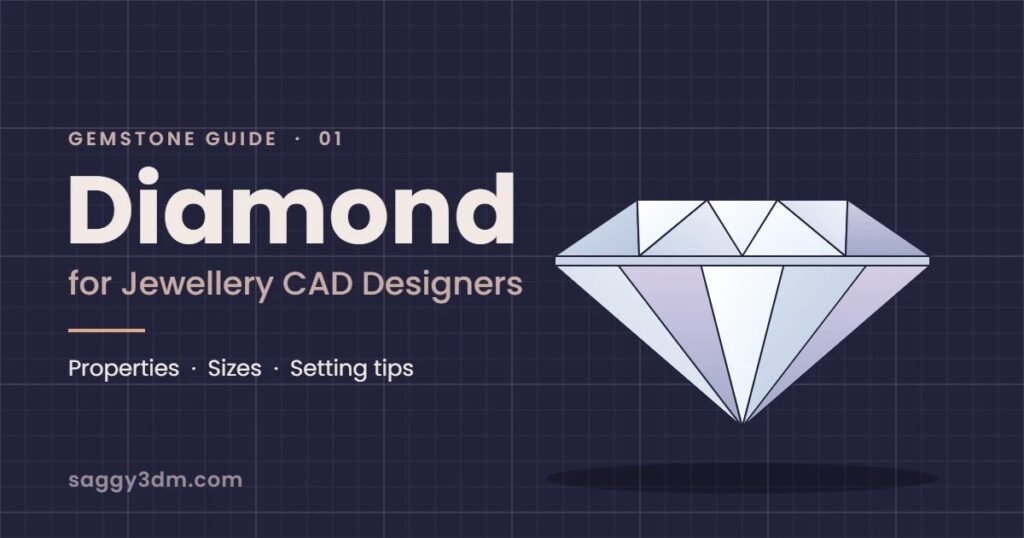
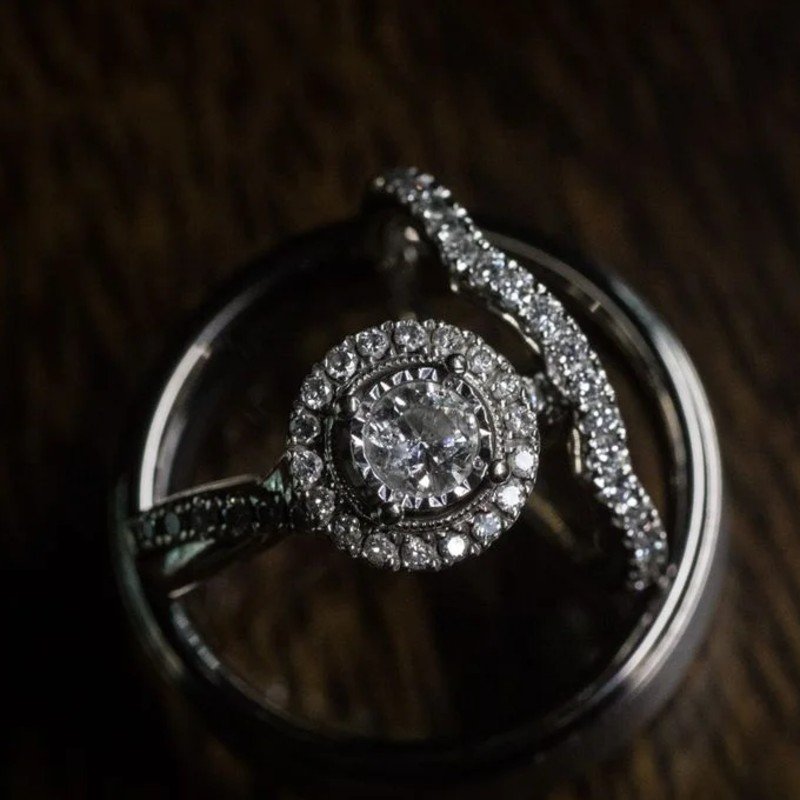
A diamond is the hardest gem you will ever set, but it is not unbreakable. It can split along its cleavage planes, and it can burn under a torch. If you design in Rhino or any other CAD software, knowing these limits helps you choose the right setting, the right seat depth and the right metal thickness.
This guide covers diamond’s key numbers, what each one means at the design table, standard round sizes in mm and carats, and a short checklist to use before you send a file to print or cast.
This is the first post in our Gemstone Guide for CAD Designers series.
Diamond quick facts
| Property | Value | What it means for you |
|---|---|---|
| Chemical makeup | Pure carbon (C) | It can burn in open air at high heat |
| Crystal system | Cubic | Rough often grows as octahedrons (two pyramids joined) |
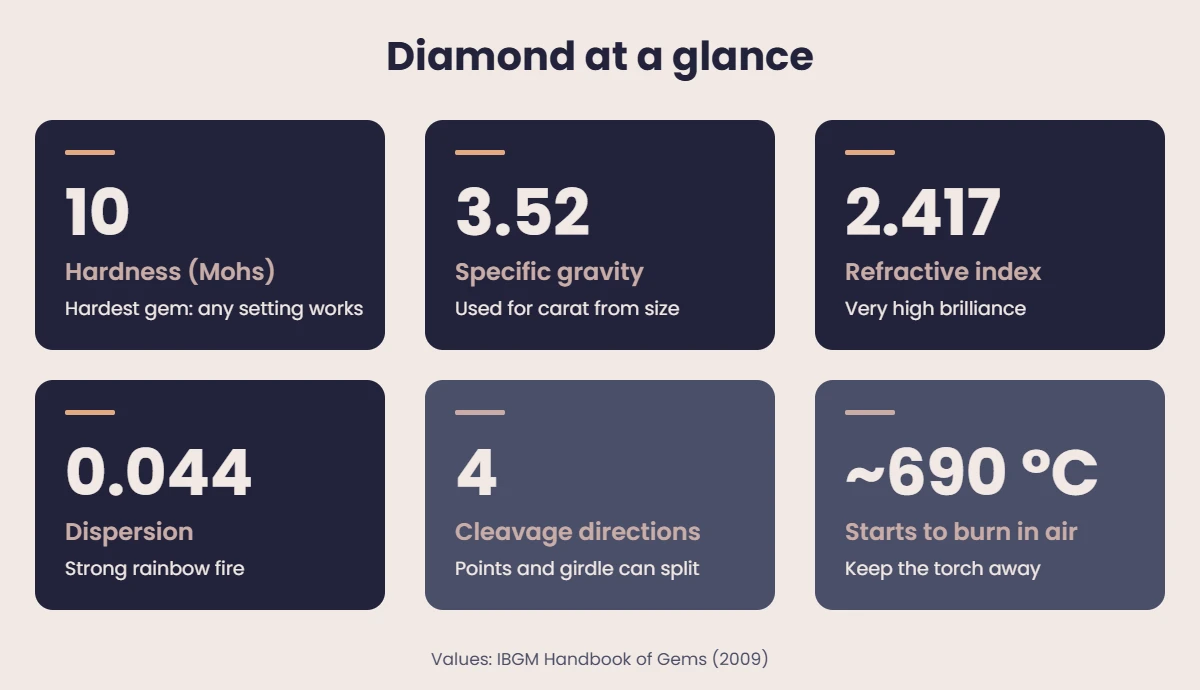
| Hardness (Mohs) | 10 | Nothing in daily wear scratches it |
| Cleavage | Perfect, in 4 directions | A sharp knock in the wrong spot can split it |
| Specific gravity | 3.52 | Used to work out weight from size |
| Refractive index | 2.417 | Very bright: light bends strongly inside it |
| Dispersion | 0.044 | Strong “fire”: white light splits into rainbow flashes |
| Lustre | Adamantine | The hard, mirror-like shine of the surface |
| Reaction to heat | Starts to burn at about 690–875 °C in oxygen | Protect it from the torch flame |
| Reaction to chemicals | None | Safe in pickle and normal cleaning solutions |
What these properties mean when you design
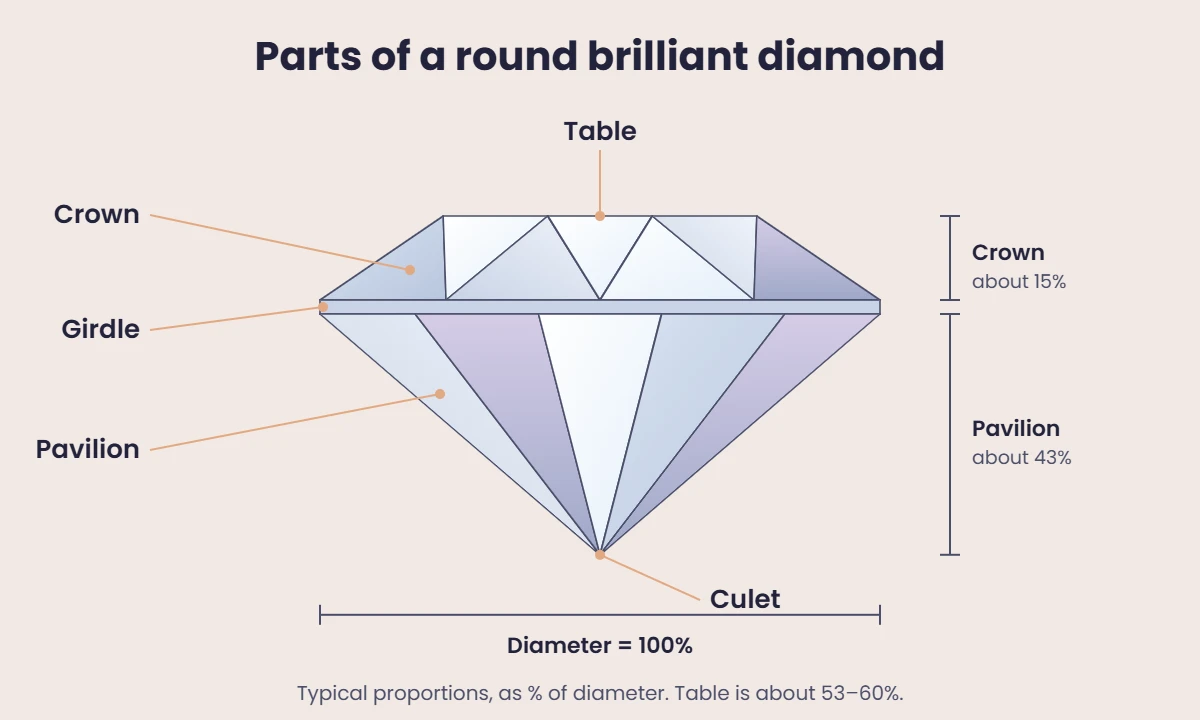
Hardness 10: every setting style works
Diamond is hard enough for prongs, pavé, micro-pavé, channel, bezel and tension settings. Softer gems like emerald or opal limit your choices; diamond does not. That is why diamonds suit open, airy designs with very little metal around them. See our Halo Setting and Kundan Setting pages for setting-specific CAD steps.
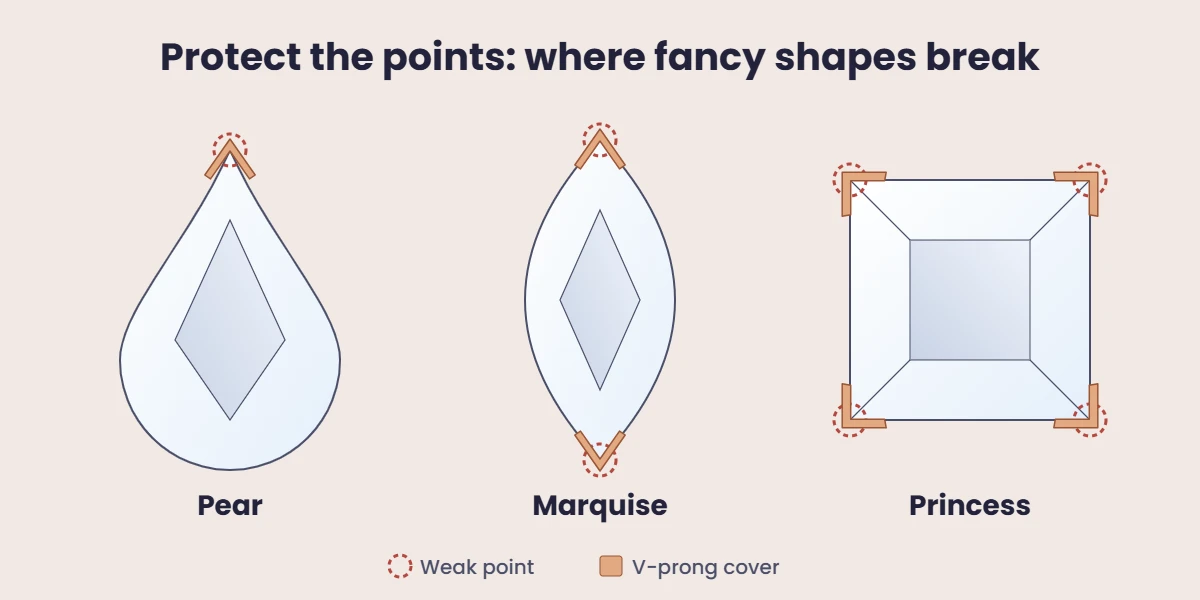
Cleavage: protect the weak spots
Hard does not mean tough. Diamond can split along four planes, and the thin girdle and sharp points are the weakest areas. In CAD:
- Cover pointed tips (pear, marquise, princess corners) with a V-prong or bezel.
- Never let metal press directly on a sharp corner. Leave a small clearance in the seat.
- Keep enough metal around the girdle in rings that take daily knocks.
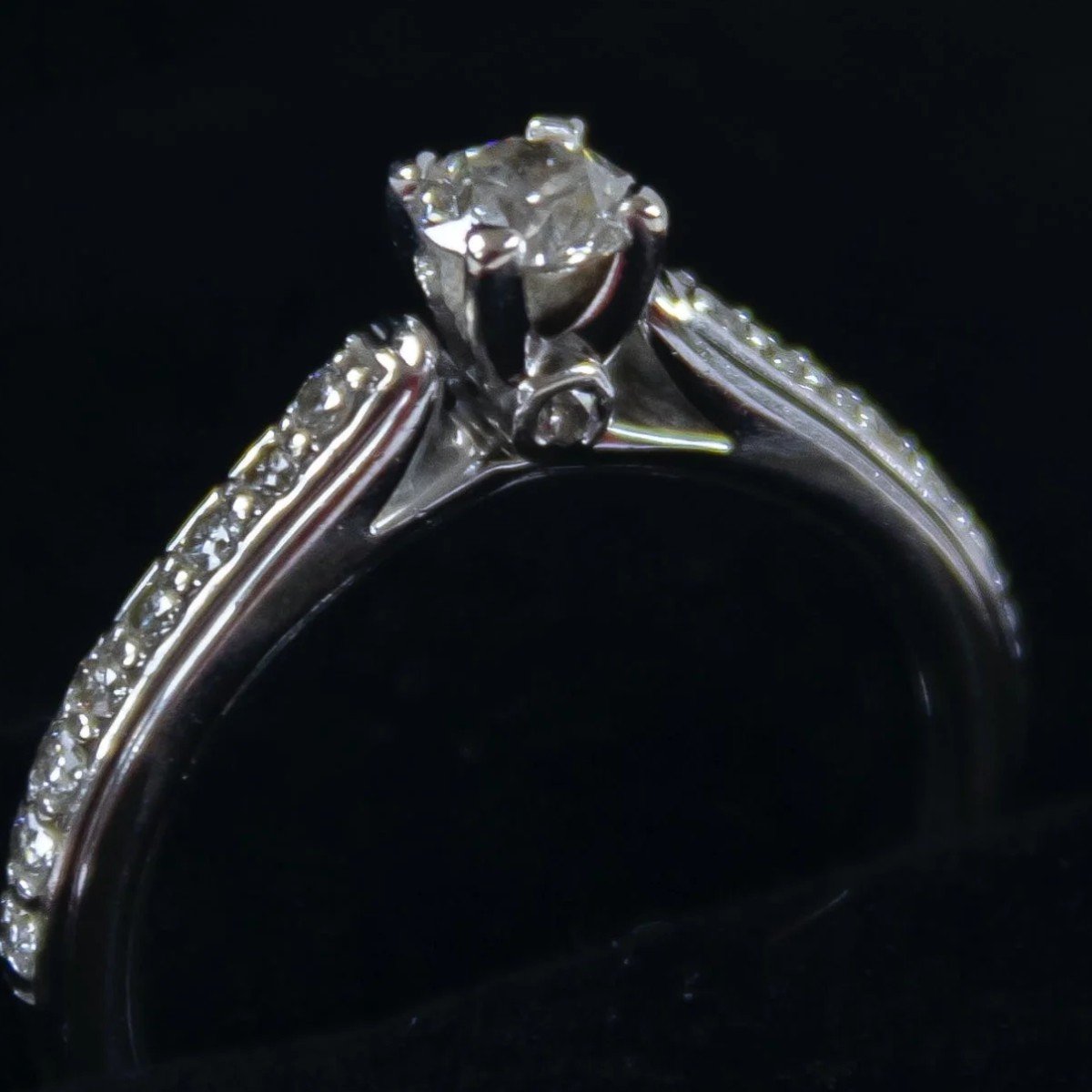
Refractive index and dispersion: let the light in
A diamond’s sparkle comes from light entering, bouncing inside and coming back out the top. Closed-back settings block some of that light. Open galleries and thin prongs show more brilliance and fire, so keep the pavilion area open where the design allows.
Heat: keep the flame away
Diamond is carbon, and carbon burns. At bench temperatures used for soldering, a diamond can turn cloudy or white on the surface. Treated diamonds can be damaged at much lower heat (see below). If a ring needs sizing or soldering, plan it so the stone can be removed, or the jeweller can protect it.
Round diamond sizes: mm to carat
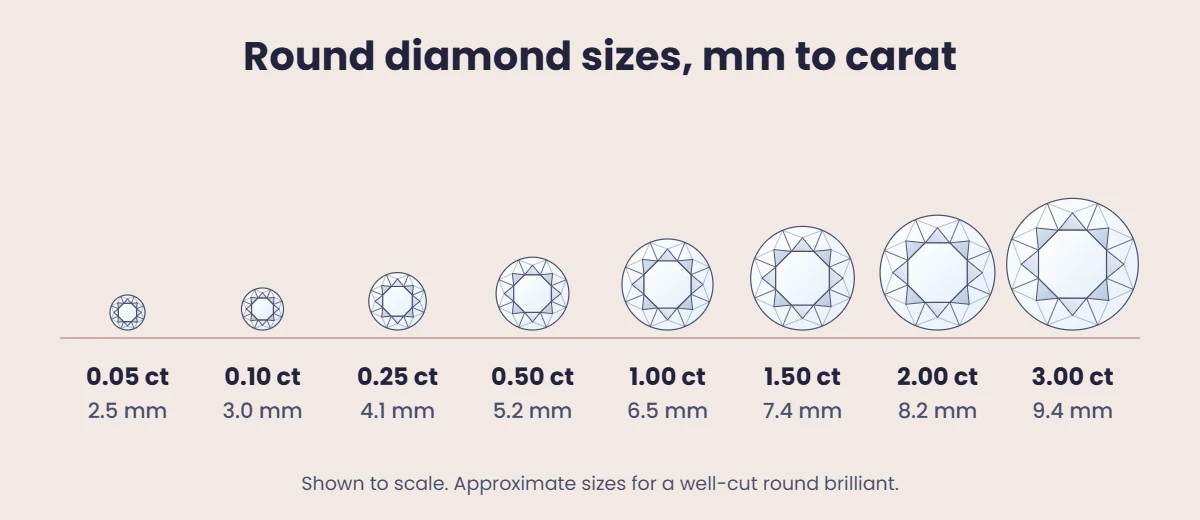
In CAD you work in millimetres, but clients talk in carats. This table gives the approximate diameter of a well-cut round brilliant for common weights.
| Carat weight | Approx. diameter (mm) |
|---|---|
| 0.01 ct | 1.3 mm |
| 0.05 ct | 2.5 mm |
| 0.10 ct | 3.0 mm |
| 0.25 ct | 4.1 mm |
| 0.50 ct | 5.2 mm |
| 0.75 ct | 5.8 mm |
| 1.00 ct | 6.5 mm |
| 1.50 ct | 7.4 mm |
| 2.00 ct | 8.2 mm |
| 3.00 ct | 9.4 mm |
The real size changes with cut proportions, so always measure the actual stone before final modelling.
Quick weight formula for a round brilliant
Carat ≈ Diameter × Diameter × Depth × 0.0061
Both measurements are in mm. Example: a stone 6.5 mm wide and 4.0 mm deep gives 6.5 × 6.5 × 4.0 × 0.0061 = about 1.03 ct.
The 0.0061 factor comes from diamond’s specific gravity of 3.52. Other gems need a different factor, because each gem has its own weight.
Skip the maths: use our free Diamond Size to Carat tool.
Treatments and look-alikes
Always ask whether a diamond has been treated before you plan the setting and any later repair. Some treatments cannot take heat or ultrasonic cleaning.
| Treatment | What it does | Bench risk |
|---|---|---|
| Fracture filling | Fills cracks with a glass-like filler to hide them | High: torch heat and ultrasonic cleaning can damage the filler |
| Laser drilling | Burns a tiny channel to bleach a dark inclusion | Medium: the channel can weaken the stone |
| Coating | A thin surface layer adds or improves colour | High: polishing and heat can remove it |
| Irradiation + heating | Changes colour (blues, greens, yellows, pinks) | Medium: strong heat can change the colour again |
| HPHT | High pressure and heat improve colour | Low: the change is stable |
Stones often mistaken for diamond include cubic zirconia (CZ), moissanite, white sapphire, white zircon, YAG, GGG, synthetic spinel and lab-grown diamond. Lab-grown diamond has the same properties as natural, so the CAD rules in this guide apply to both. CZ and moissanite have different sizes for the same carat weight, so never use the diamond table above for them.
Diamond CAD checklist before you send the file
- Measure the real stone (diameter and depth) and model it to those sizes.
- Check that the seat depth lets the girdle sit fully below the prong tips.
- Protect every sharp point with a V-prong or bezel.
- Leave a small clearance in the seat so metal does not press on the girdle.
- Keep the pavilion open for light where the design allows.
- Plan sizing and repair so the stone can be removed or protected from heat.
- Confirm whether the stone is treated, and note it for the bench jeweller.
Wrapping up
Diamond gives you the most design freedom of any gem, as long as you respect its two weak points: cleavage and heat. Next in this series: Ruby, a hard gem with very different colour and setting needs.
Watch our jewellery CAD tutorials on the saggy3dm YouTube channel.
FAQ
Can a diamond break?
Yes. It is very hard but can split along its cleavage planes if hit hard on the girdle or a point.
Can I solder near a diamond?
It is risky. The surface can burn and turn cloudy, and treated stones can be ruined. Remove or protect the stone first.
How many mm is a 1 carat round diamond?
About 6.5 mm across, for a well-cut round brilliant.
Do lab-grown diamonds need a different CAD design?
No. They have the same hardness, weight and optical properties as natural diamond.